

Telegram for customer support: why it works better than most tools

Photo by Deeksha Pahariya
Telegram works as a customer support channel because it’s the one app you already check 30 times a day. No separate dashboard, no per-seat pricing, no “insights report” about your 11 conversations. You see the message, you reply, you move on. For solo founders and small teams, that’s the whole workflow.
Here’s why it works and how to set it up.
Why does Telegram work for support?
You already live there. I open Telegram dozens of times a day. I don’t open Intercom dozens of times a day. I don’t open Zendesk. I barely open my email.
This matters more than any feature comparison. The best support tool is the one you actually respond from. If your inbox lives in a dedicated dashboard, you’ll check it when you remember. If it lives in Telegram, you’ll see it between messages from your team, your deploy bot, your monitoring alerts. Support becomes part of your flow, not a separate task you context-switch into.
Response time drops not because you’re faster, but because you’re already there.
What does Telegram give you for free?
Quite a lot, actually:
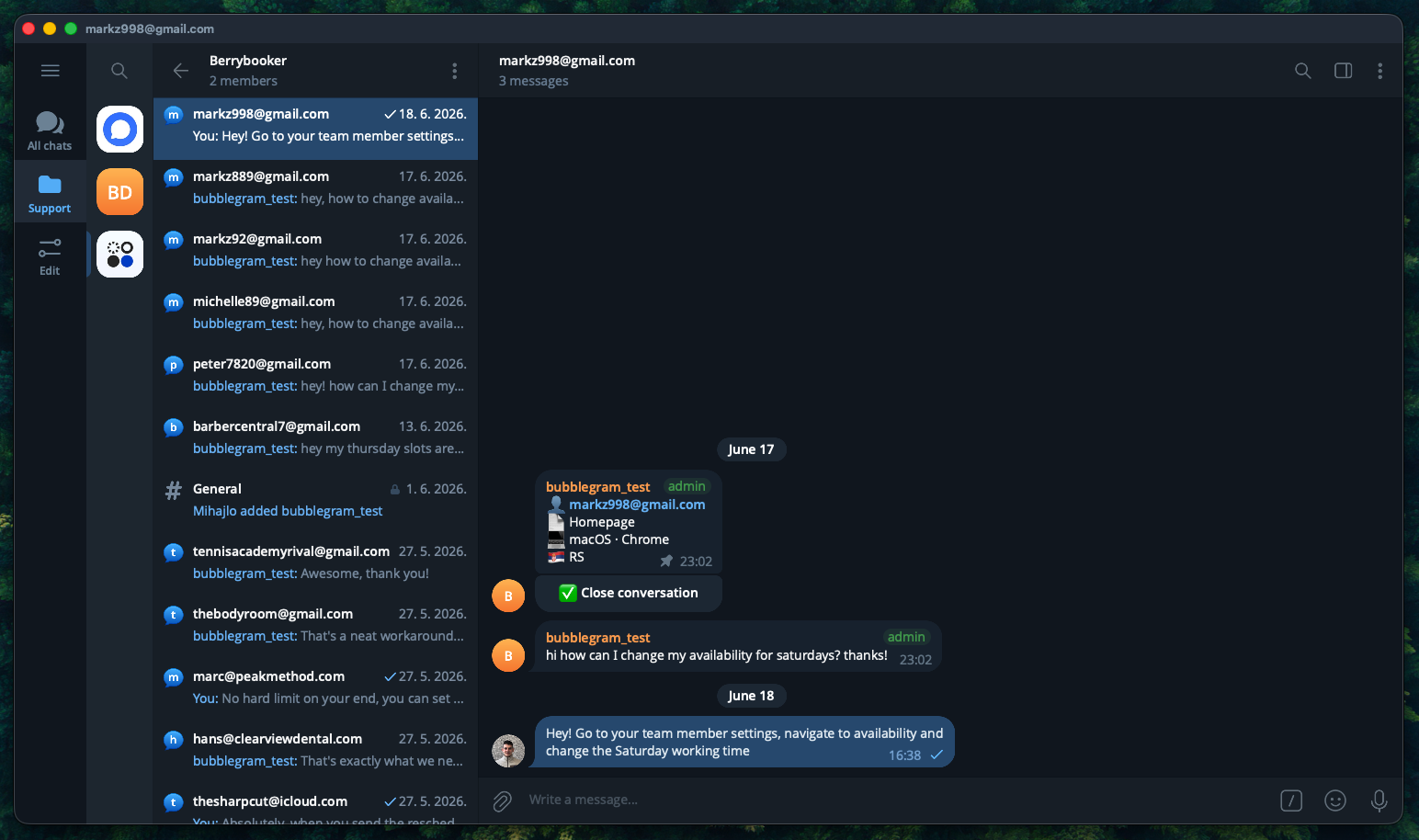
- Forum topics. One group, one topic per visitor. Every conversation is its own thread. No third-party tool organizing it for you.
- Notifications that work. Push notifications on every device, mute controls per topic, pin important conversations. You already know how this works because you already use it.
- Media support. Screenshots, files, voice messages. No “please attach your file as a .zip under 5MB” nonsense.
- Search. Telegram’s search is fast. Find a conversation from three months ago in seconds.
- Multi-device. Phone, desktop, tablet, web. All synced, all real-time. No “you’re already logged in on another device” warnings.
You get all of this without paying anyone. It’s just Telegram being Telegram.
Why not just use email?
Email works. It’s universal, async by default. But email has a response time problem that’s cultural, not technical.
People expect email replies in hours. They expect chat replies in minutes. The same person who would patiently wait for an email will bounce from your site if the chat bubble doesn’t respond. This isn’t rational, but it’s real.
Threading is the other issue. Email threads break. Someone CCs a new person, the thread forks, half the context is lost. Telegram topics don’t have this problem. One topic, one conversation, forever.
I don’t need instant support. I need correct support. A human reply in 4 hours that actually helps beats an AI reply in 4 seconds that doesn’t. But the channel still matters. Chat feels faster even when it isn’t, and that perception changes how people interact with you.
Why not a traditional live chat tool?
Most live chat tools are dashboards pretending to be chat.
You embed a widget. Visitor sends a message. The message goes into a web app you have to keep open in a browser tab. If you close the tab, you miss the message. Some tools have desktop apps, but now you’re running a dedicated app for something that could be a Telegram notification.
Then there’s pricing. Intercom starts at $39/seat/month. LiveChat is $20/seat/month. Zendesk is $55/seat/month. For a team of two, that’s $80-$110/month before you’ve answered a single question. You’ll use maybe 5% of what these platforms offer.
The value proposition only makes sense at scale. If you have 15 agents across time zones handling hundreds of tickets with routing rules and escalation paths, yes, you need a platform. If you’re replying to 3-15 messages a day from your phone, you’re paying enterprise prices for a glorified notification relay.
How do you set this up?
The missing piece is getting website messages into Telegram. Your visitors don’t have Telegram. They need a chat widget that routes their messages to your Telegram group without requiring them to install anything.
With Bubblegram, setup takes about 5 minutes:
- Create a Telegram group and enable Topics in the group settings. This gives each visitor their own thread.
- Create a project in the dashboard, enter your domain, and click Link Telegram. This adds the bot to your group and connects everything automatically.
- Paste one script tag on your site:
<script
  src="https://cdn.bubblegram.co/widget.js"
  data-key="pk_live_YOUR_KEY"
  async
></script>
Visitors type in the widget, messages appear as Telegram topics in your group. You reply in Telegram, the reply shows up back in the widget in real time. No bot token to manage, no webhook to configure, no infrastructure to maintain.
The bottom line
If your support volume fits inside a Telegram group, you don’t need a platform. You need a way to get website messages into that group and replies back out. The underrated part isn’t Telegram itself. It’s the decision to not adopt a tool until you actually need one.
For a deeper look at how Bubblegram routes messages through Telegram without hitting API rate limits, see how we built the message queue. And if you’re comparing widget options, here’s our honest comparison of 5 Telegram chat widgets.
Reply from Telegram.
Skip the dashboard.
Most support tools are overkill. Bubblegram routes messages to Telegram and gets out of the way.
Start for free